Battery–inverter compatibility is not established by a “48 V” label or by the presence of a CAN port. A reliable residential energy-storage system requires agreement across voltage, current, communication, firmware, cable pinout and operating settings.
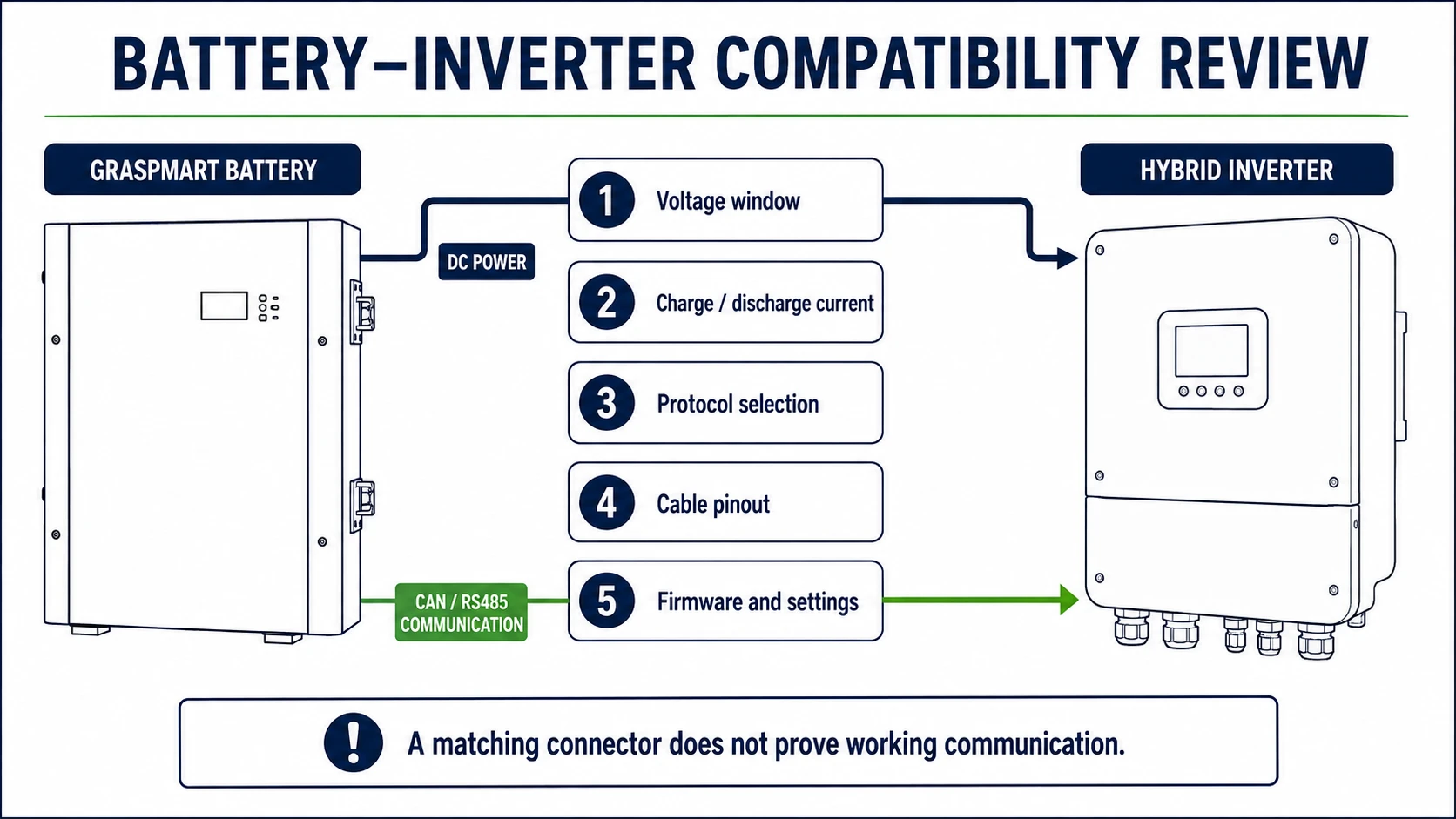
The five checks that must agree
- Voltage: inverter battery-voltage window must cover the battery operating range.
- Current: charge and discharge limits must remain within the battery, BMS, inverter, cable and protection ratings.
- Communication: CAN or RS485 protocol and message set must be supported by both devices.
- Connection: communication cable pinout, termination and address settings must be correct.
- Firmware and settings: the approved inverter profile and software versions must be recorded.
1. Compare voltage using the full operating range
Nominal voltage is useful for classification, but the inverter operates across a range. Obtain the battery charge limit, discharge cutoff and recommended operating window from the current model datasheet. Then compare them with the inverter battery input range and lithium charging profile.
Do not substitute a generic 48 V or 51.2 V value for the model data. A 15-cell LFP pack and a 16-cell LFP pack can require different settings even when both are sold in the low-voltage category.
2. Check energy and power as separate specifications
Energy in kWh indicates potential runtime. Power in kW depends on voltage and current. At 51.2 V, 100 A corresponds to approximately 5.12 kW DC before losses. The permitted output may be lower because of state of charge, temperature, cable rating, BMS limits or inverter settings.
| Item | Evidence to request | Why it matters |
|---|---|---|
| Continuous current | Battery datasheet and BMS setting | Determines sustained DC power |
| Peak current | Magnitude and permitted duration | Affects motor or compressor starting |
| Inverter charge current | Manual and configured limit | Prevents charging above battery limits |
| Parallel quantity | Written model-specific instruction | Affects current sharing and addressing |
3. Verify CAN or RS485 at protocol level
CAN and RS485 describe physical communication methods; they do not define a universal language. The battery and inverter must exchange compatible messages for state of charge, voltage, temperature, alarms and permitted charge/discharge current.
Request the supported inverter model, protocol selection, cable pinout and startup procedure. Broad statements such as “compatible with Deye” or “works with Growatt” are incomplete without the exact inverter model and firmware.
4. Confirm cables, addresses and termination
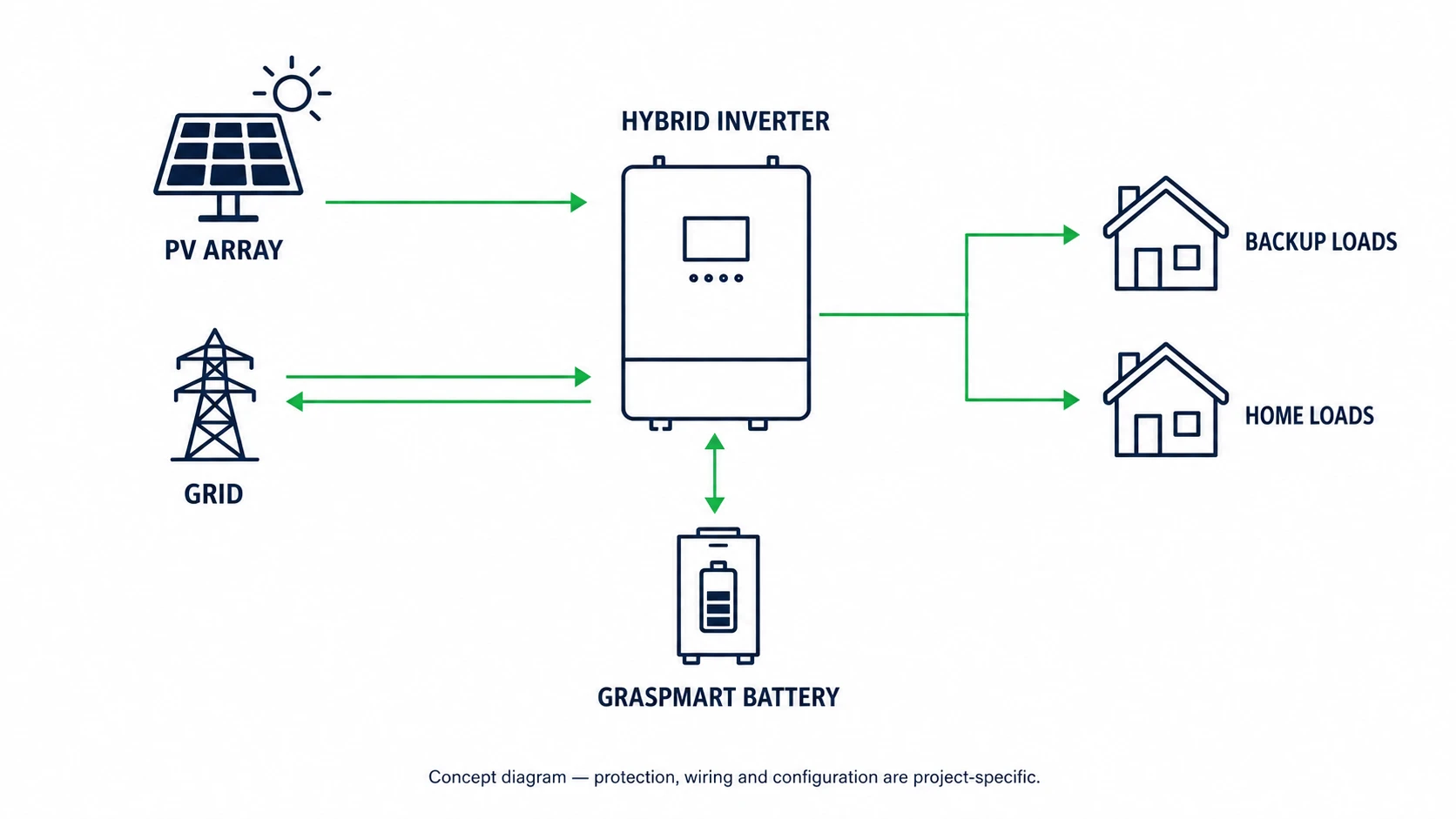
Two RJ45 connectors can use different pin assignments. Never assume an Ethernet patch cable is correct because it fits mechanically. Confirm the supplier cable, connector orientation and pinout. For parallel batteries, check master/slave selection, DIP switches, addresses and termination resistors.
5. Record firmware and commissioning settings
A previously tested hardware combination may behave differently after a firmware update. Record battery firmware, inverter firmware, selected battery profile, charge/discharge limits and any country-specific inverter settings. Keep commissioning screenshots or a signed checklist with the project file.
Open-loop and closed-loop operation
In closed-loop operation, the battery BMS communicates limits and state information to the inverter. In open-loop operation, the installer manually configures voltage-based settings. Open-loop operation should only be used when both manufacturers support the configuration and the installer understands the required protection and control behavior.
Compatibility information to send before quotation
- Inverter manufacturer and complete model number
- Inverter firmware version, if available
- Single-phase or three-phase system
- Battery voltage class and required capacity
- Maximum continuous and starting loads
- Number of batteries planned now and later
- Country, grid mode and backup requirement
- Required communication cable and accessories
Common compatibility mistakes
- Matching only nominal voltage
- Assuming every CAN port uses the same protocol
- Ignoring firmware versions and inverter profiles
- Using an unverified communication cable
- Setting inverter current above the battery limit
- Adding parallel batteries without addressing instructions
- Claiming compatibility from a brand name instead of a tested model combination
Frequently asked questions
Can the system run without CAN communication?
Some approved systems can operate with voltage-based settings, but suitability depends on both products and the installation design. Obtain written guidance for the exact combination.
Does a larger battery require a larger inverter?
Not automatically. A larger battery mainly increases stored energy and runtime. Inverter power should be selected from supported loads, starting demand and system design.
What should be confirmed again before shipment?
Confirm the production battery model, BMS firmware, inverter model, protocol, cable, accessories and document package against the approved order specification.
Request a model-specific review
Use the central Graspmart inverter compatibility page or send the exact inverter model, firmware, battery quantity and destination through the RFQ form. You can also compare available residential battery capacities before requesting a configuration.