State of charge is an estimate of remaining capacity, not a direct reading of stored kWh. A single terminal-voltage reading may not agree with the battery display, particularly while the system is charging or supplying a load.
Understand the measurement conditions
Terminal voltage changes with current, temperature and internal resistance. A reading under load is different from a rested reading. Record operating state when comparing measurements.
Check how SOC is reported
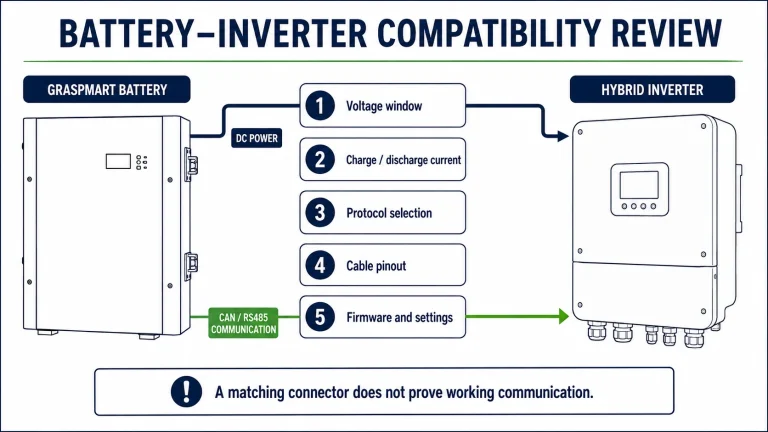
The battery display and inverter may obtain SOC from different sources. In a supported communication setup, the inverter should use the intended battery data. In a voltage-based setup, its estimate may behave differently. Confirm the chosen mode before assuming a sensor fault.
Avoid arbitrary recalibration
Follow the model’s instructions for any calibration or balancing procedure. Repeatedly forcing deep discharge can create problems without correcting the underlying communication or configuration issue. Preserve alarm logs and screenshots for support.
Details to confirm
- Battery and inverter SOC at the same time
- Charge/discharge current and voltage
- Communication mode
- Firmware and recent operating history
Does a 50% display guarantee half the runtime?
Not exactly. Runtime also depends on load, operating limits, temperature and the accuracy of the estimate.
Product and project review
See the related Graspmart battery specifications and compare the available capacities. Use the reference data to shortlist a platform, then confirm the exact production model, accessories and operating limits in the quotation.
Send the inverter model, destination, quantity and the requirements listed above through the project enquiry form. Include existing equipment details when the battery is being added to an installed system.